PostProcessor — Bulk Alpha Masking for UEFN Textures
Context
I was running into a wall with UEFN texture imports. Transparent PNGs were huge, and Nano Banana couldn’t generate proper alpha backgrounds. I needed a way to quickly create black/white masks, remove backgrounds, and add drop shadows—ideally in bulk. Buying a commercial tool didn’t fit my workflow, and nothing I found could process batches the way I wanted.
The Solution
I built PostProcessor (internally called AlphaMask) to solve this. It’s a web app that lets me drag in a folder of images, generate black/white masks, remove backgrounds, and add drop shadows—all in one go. The main UI is focused on speed: bulk upload, preview, and export. I can now import JPGs with separate alpha masks into UEFN, cutting file sizes by more than half.
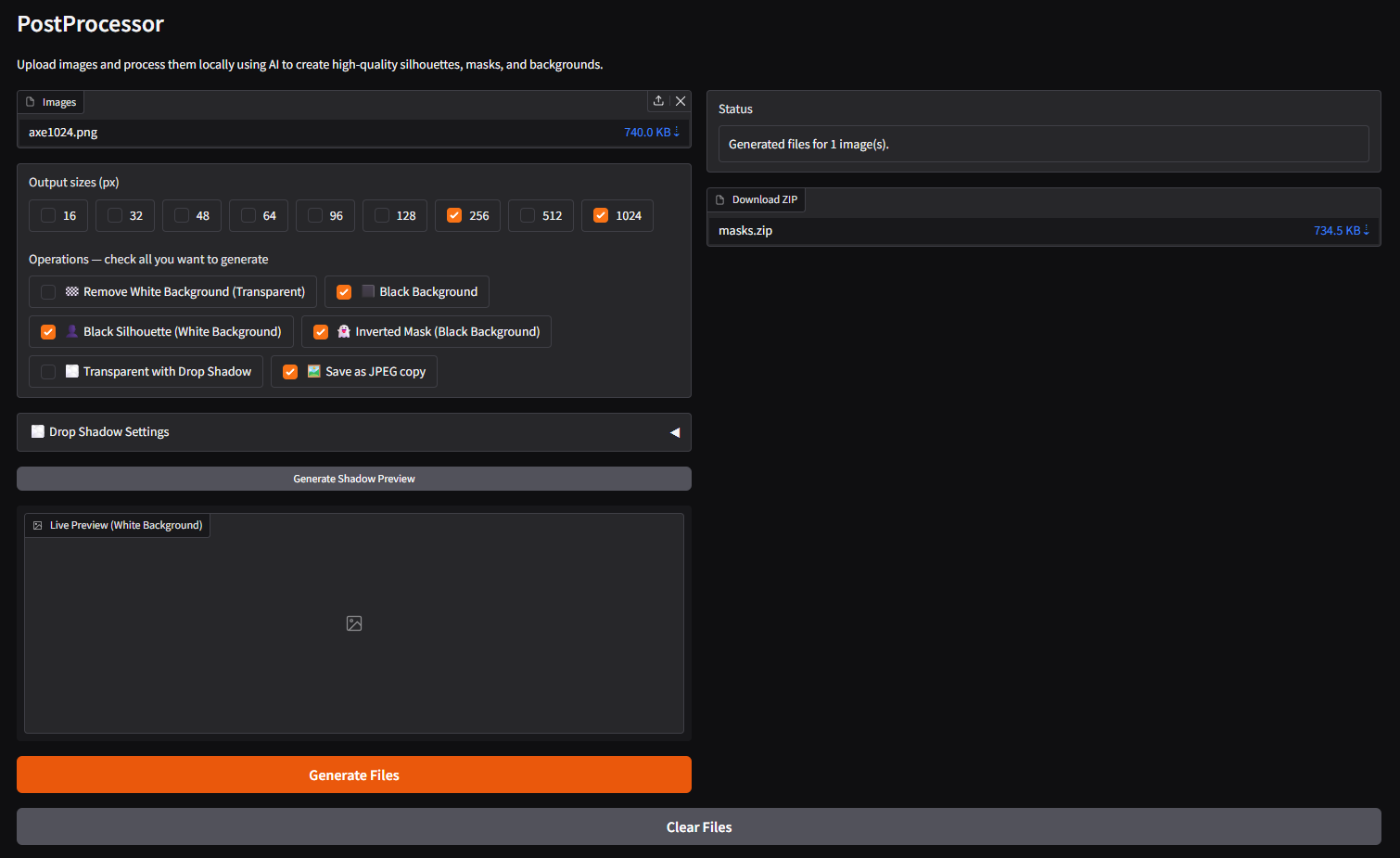 PostProcessor UI
Example output:
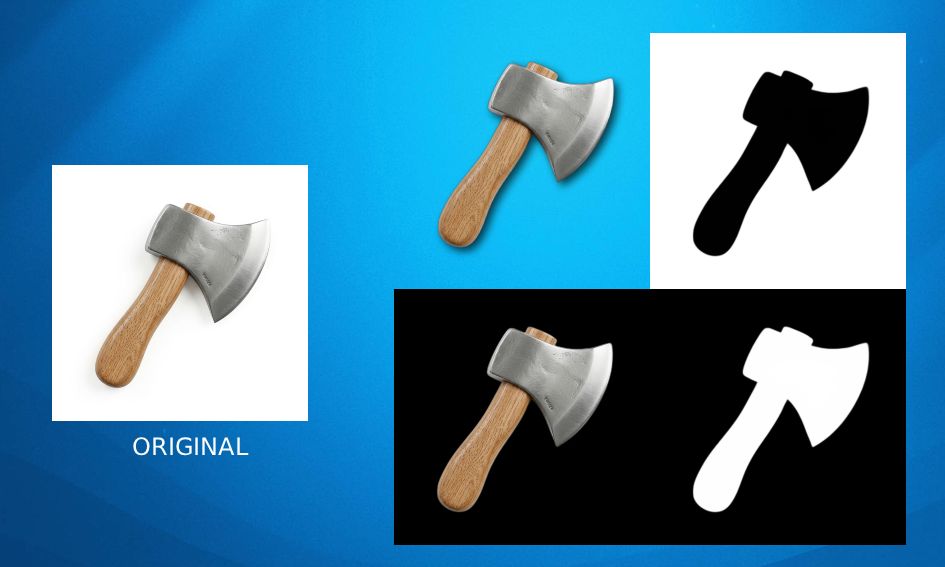 Alpha mask example
Key features:
- Bulk black/white mask generation
- Background removal (transparency)
- Drop shadow addition
- Fast preview and export
Technical Deep Dive
The app is built with Next.js and uses Sharp for image processing on the backend. The hardest part was getting reliable background removal for a wide range of source images—especially with inconsistent lighting. I ended up tuning the thresholding and mask generation to work for my typical asset pipeline. The UI is intentionally minimal: just enough to get through a batch quickly, with previews for every step.
The Impact
This tool completely changed my UEFN workflow. I can now prep dozens of textures in minutes, not hours. File sizes are way down, and I’m no longer blocked by Nano Banana’s limitations. I estimate I’ve saved at least 10x the time I spent building it.
Summary
What it solves for me:
- Removes the bottleneck of manual alpha mask creation
- Enables bulk texture prep for UEFN
What I’ve learned:
- Custom tools for niche workflows pay off fast
- Bulk processing is a massive time multiplier