File Explorer — Fast Asset Browsing on Your LAN
Why I Built This
I have thousands of audio files on an external hard drive. Windows Explorer is painfully slow, especially with externals. On Mac, I could just hit spacebar to preview an audio file instantly. On Windows, you have to open the file in a media player, wait, and then close it—over and over. That friction adds up fast. I realized I was spending more time just trying to find and preview sounds than actually making anything.
So, instead of fighting my tools, I built my own. File Explorer is what I needed: something that lets me search, preview, and move through my library without breaking my flow.
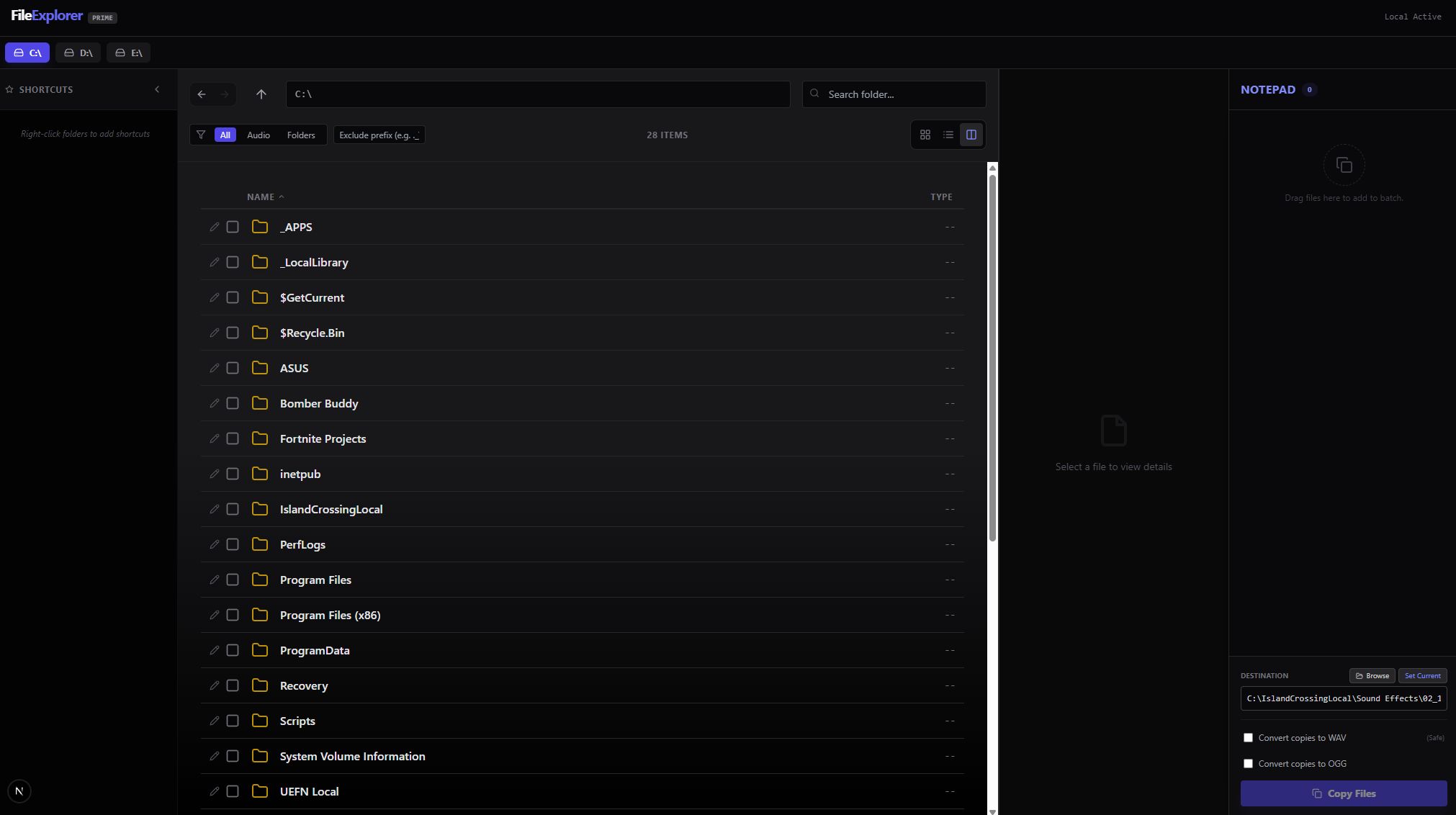 List View
What It Actually Does
File Explorer is a fast way for me to:
- Find files in my mess of directories (especially on slow drives)
- Preview audio and images without opening another app
- Copy a path, open a file, or hand it off to something else—quickly
- Queue up files from my external drive, then copy them to another destination and convert them to an optimal WAV format (so I can actually use them in my projects, without extra steps)
It’s not cloud storage. It’s not a DAM. It’s just local, fast, and built for the way I work.
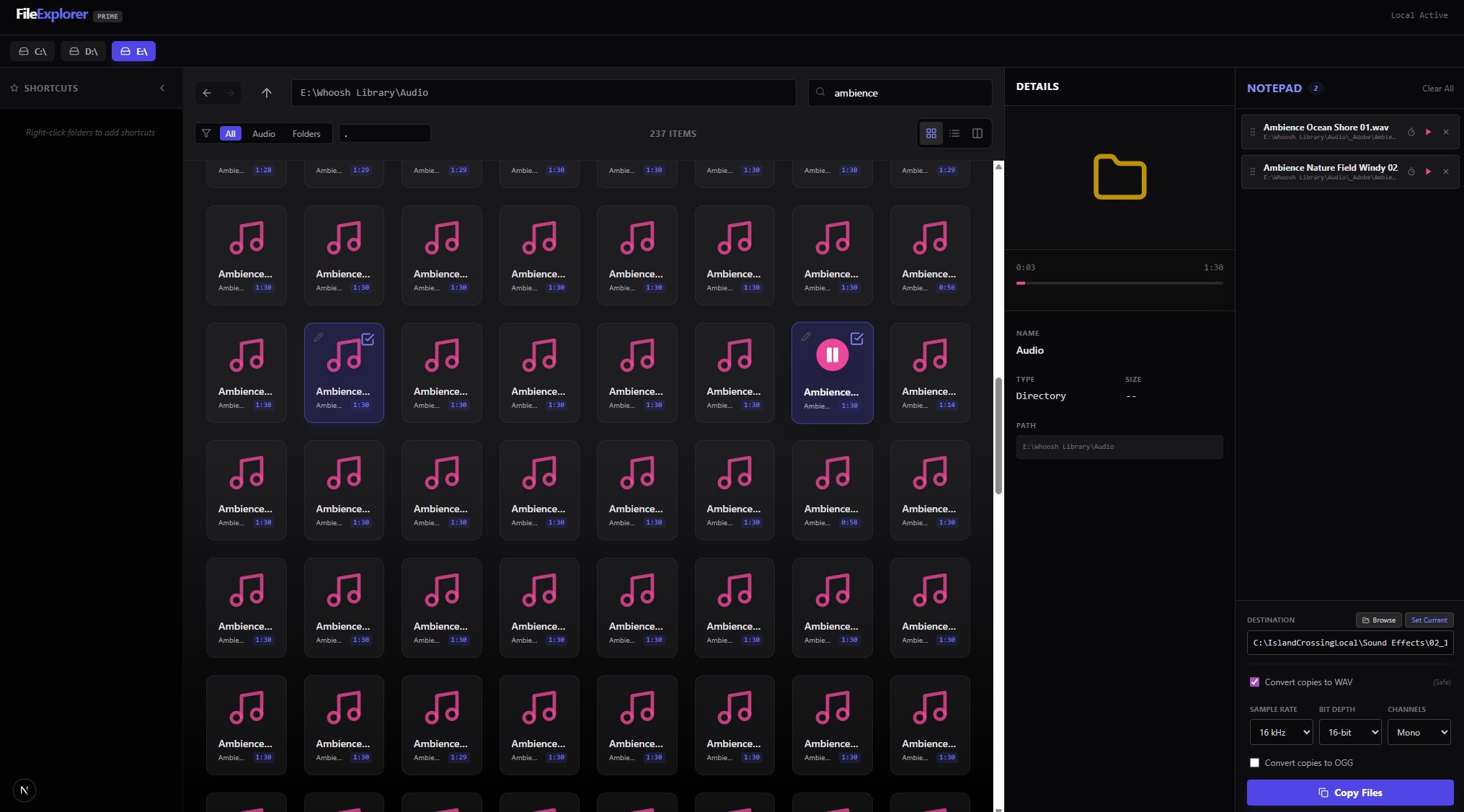 Audio Files Grid
How I Use It
I’m in the middle of building something. I open File Explorer, jump to my project root (I have a few favorites pinned), type in a half-remembered file name, and get a list. I can preview audio or images right there—no extra clicks, no waiting. If it’s the right file, I copy the path or open it. Done. I stay in “build mode” instead of “where did I save that?” mode.
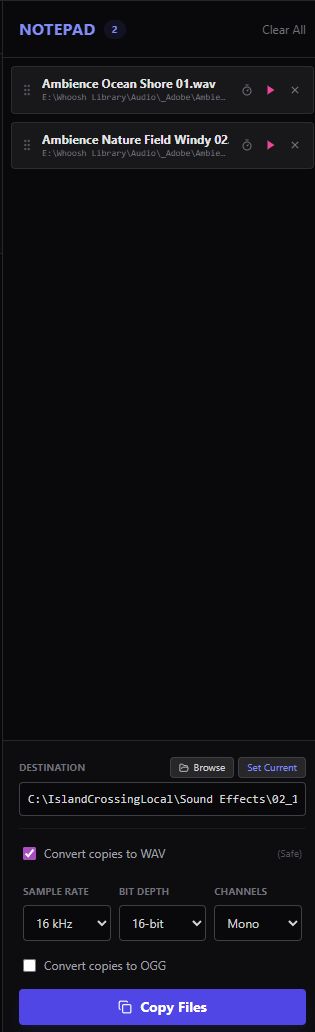 Notepad
What It Can Do (Right Now)
- Fast navigation and search across my project directories
- Favorites/pinned roots for the stuff I’m actually working on
- Basic previews (audio, images, common formats)
- Quick actions: open, copy path, reveal in OS
- Queue files for batch copy and WAV conversion (from external drives to wherever I need them)
What It’s Not
- Not a full DAM
- Not a replacement for Git or source control
- Not a file sync tool
(Media I’ll Add Later)
- Dashboard screenshot (favorites + recent)
- “Search → open → reveal in OS” GIF
- Preview panel demo
Summary
What it solves for me:
- File navigation is fast and repeatable now.
- I don’t lose momentum when I’m bouncing between tools.
What I’ve learned:
- Most “tooling” wins are just about removing tiny delays.
- Local-first UX is a real advantage when you’re shipping every day.